Triple
Build static Linux binaries on your Mac.
Use a Swift library, CLI, or native app.
import Foundation
import Triple

let result = try await Triple.build(
    URL(filePath: "./MyServer"),
    for: .linux(.arm64)
)

print(result.executable.path)
MyServer
- Target
- Linux ARM64
- Build
- Release
- Linking
- Static · Musl
- Executable
- Unstripped
- Output
- .build/
Includes required resource bundles.
Exports to a new directory. Its parent must exist.
Triple Source build
Cross-compilation
in one line of Swift.
Add the package.
In Package.swift, add Triple to your dependencies,
then add its library product to your target.
Source build. Use the pinned rebrand revision; earlier release tags use the previous module name.
.package(
    url: "https://github.com/mottzi/Triple.git",
    revision: "99c216dda112be33f7359d3fd5bf8d0334f20498"
).product(
name: "Triple",
package: "Triple"
)Build your package.
Export a runnable directory.
Make the build yours.
Control each stage.
Pass your package directory. Triple returns the verified executable and its resource bundles.
import Foundation
import Triple

let result = try await Triple.build(URL(filePath: "/path/to/MyServer"))

print(result.executable.path)
Triple builds your only executable for x86-64 Linux in release mode by default. It installs missing components and resolves dependencies.
Add an output destination to get a runnable directory containing the executable and its resource bundles.
let result = try await Triple.build(
    URL(filePath: "/path/to/MyServer"),
    output: .export(to: URL(filePath: "/path/to/output/Server"))
)

print(result.directory.path)
You can also export the result returned by an earlier build:
let exported = try await result.export(to: URL(filePath: "/path/to/output/Server"))Both forms use ExportDestinationPolicy. The default, .createNewDirectory, requires a new destination. Pass policy: .replaceIfPresent to replace an existing directory and its contents, or .requireExistingEmptyDirectory to fill an existing empty directory. The parent directory must exist.
Choose the executable, target, toolchain, and output. Every build parameter is shown below. Keep the ones you need and let Triple supply the defaults for the rest.
let result = try await Triple.build(
    URL(filePath: "/path/to/MyServer"),
    product: "MyServer",
    for: .linux(.arm64),
    toolchain: .exact(SwiftVersion(major: 6, minor: 3, patch: 3)),
    configuration: .release,
    jobs: 4,
    scratchStorage: .packageDefault,
    output: .export(to: URL(filePath: "/path/to/output/Server")),
    strip: true,
    swiftPMEnvironment: .inherited,
    swiftPMTraits: .packageDefaults,
    swiftPMSharedStorage: .standard,
    environmentStorage: .standard,
    recordRemovalPlan: nil,
    onEvent: { event in print(event) }
)

print(result.directory.path)
This builds a stripped ARM64 release with Swift 6.3.3, uses four build jobs, and exports the result. Storage, environment, and traits keep their defaults. The event handler reports progress; removal-plan recording is optional.
For tools that need approval before installing components, assess first. Inspect the package before enabling a build.
import Foundation
import Triple

let kit = Triple()
let package = URL(filePath: "/path/to/MyServer")
let assessment = try await kit.assess(package, for: .linux(.arm64))

// Inspect assessment.requiredComponents before proceeding.
let prepared = try await kit.prepare(assessment)

// Allow dependency resolution when your caller approves.
let inspection = try await kit.inspectPackage(
    using: prepared,
    dependencies: .resolveIfNeeded
)
let product = try inspection.products.select("MyServer")
let request = BuildRequest(product)
let result = try await kit.build(request, using: inspection.environment)
Assessment installs nothing. Preparation and dependency resolution are explicit steps.
Requirements and compatibility
On your Mac
Apple silicon, macOS 13+, and Xcode or Command Line Tools with Swift 6.3+. Run library callers outside the App Sandbox. With your approval, Triple can install Swiftly, a toolchain, and its matching Static Linux SDK.
In your package
Your executable and dependencies must support Linux Musl. Build only packages you trust. SwiftPM executes manifests and may run plugins with your permissions. Keep the executable and resource bundles together.
Verified output
Triple verifies ELF64 format, architecture, static linking, and required resources. It withholds the result if monitored sources change during compilation. Deploy the output with your own tools.
Resource bundles
Triple returns the resources linked to your executable,
including those from dependencies. Both .resources
and .bundle formats are supported.
Triple CLI Source build
Triple.
For your terminal.
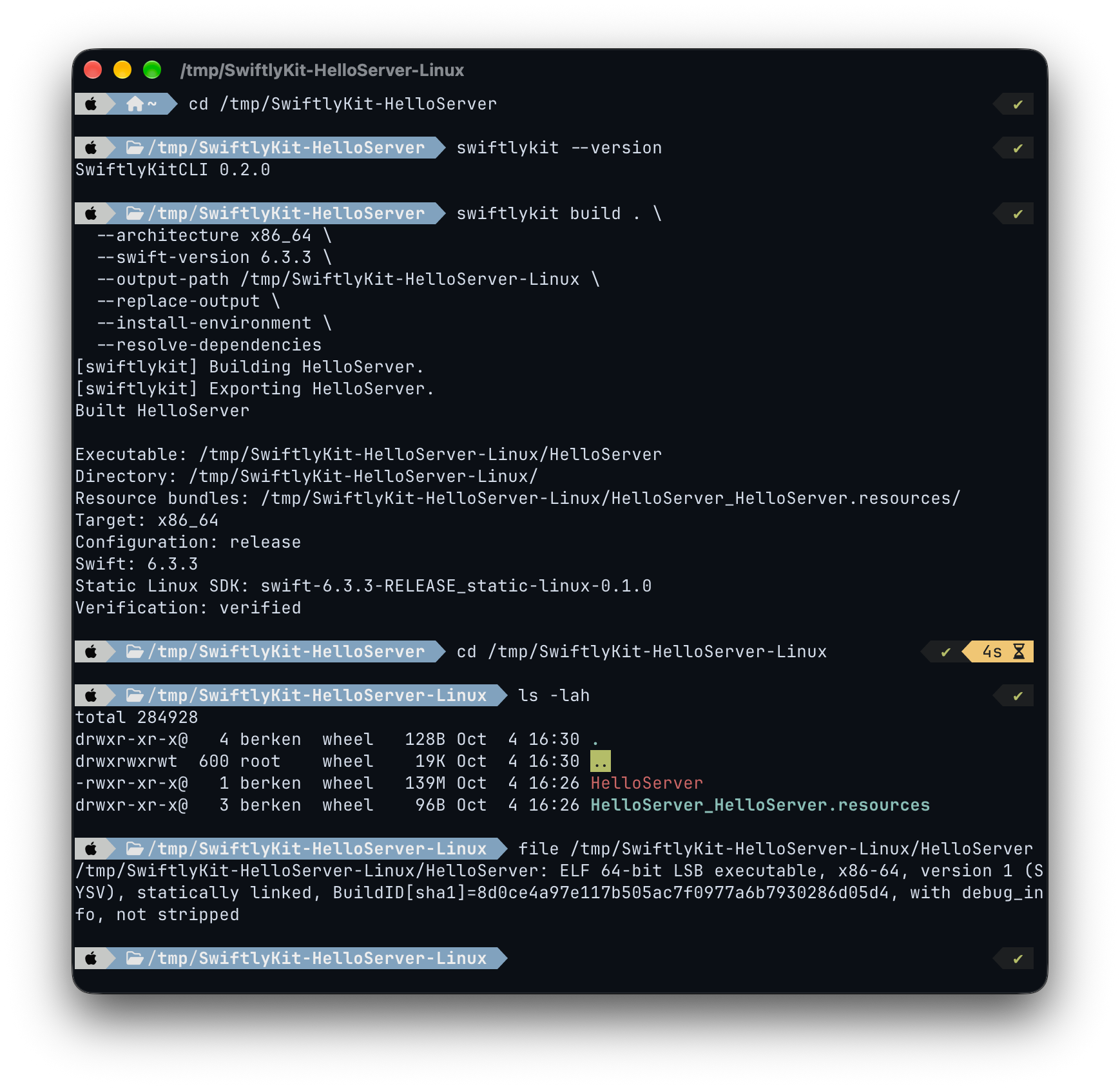
Build Linux executables from your terminal. Use JSON output to automate builds in scripts and CI.
Install from source.
git clone https://github.com/mottzi/TripleCLI.git
cd TripleCLI
./install.sh
Builds and installs triple in ~/.local/bin
and adds it to your shell’s PATH if needed.
Build your package.
triple build . \
  --architecture aarch64 \
  --install-environment \
  --resolve-dependencies
The flags explicitly permit environment installation and dependency resolution.
Command reference
Package paths default to the current directory. Add
--help to a command for its full options.
triple assess .-
Inspect one environment without changing it. Use
environmentsto list compatible choices. triple products .-
List executable products in a prepared environment. Select
one with
--product MyServer. triple build . --json-
Write one result or error to stdout and suppress progress.
Use
--verbosefor live output instead. --output-path ./dist/Server-
Export the executable and resources to a directory. The
parent must exist. Add
--replace-outputto replace an existing destination.
Triple for macOS Source build
Triple.
Made for your Mac.
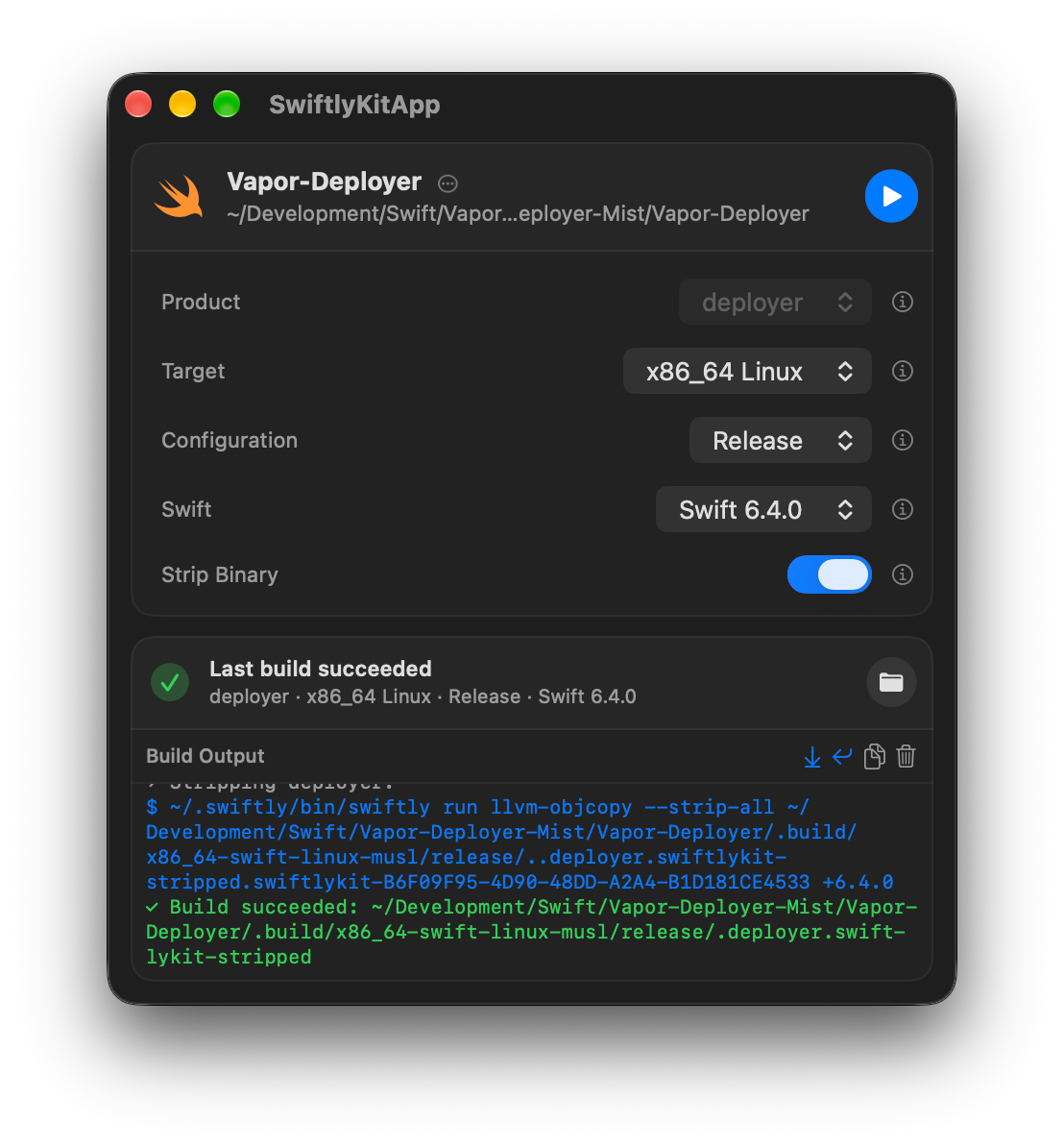
Build Linux executables with native macOS controls.
These captures show the previous name, SwiftlyKitApp. Updated Triple screenshots are pending.